background

Chat with SQL Databases using AI

AskYourDatabase · AI database chatbot

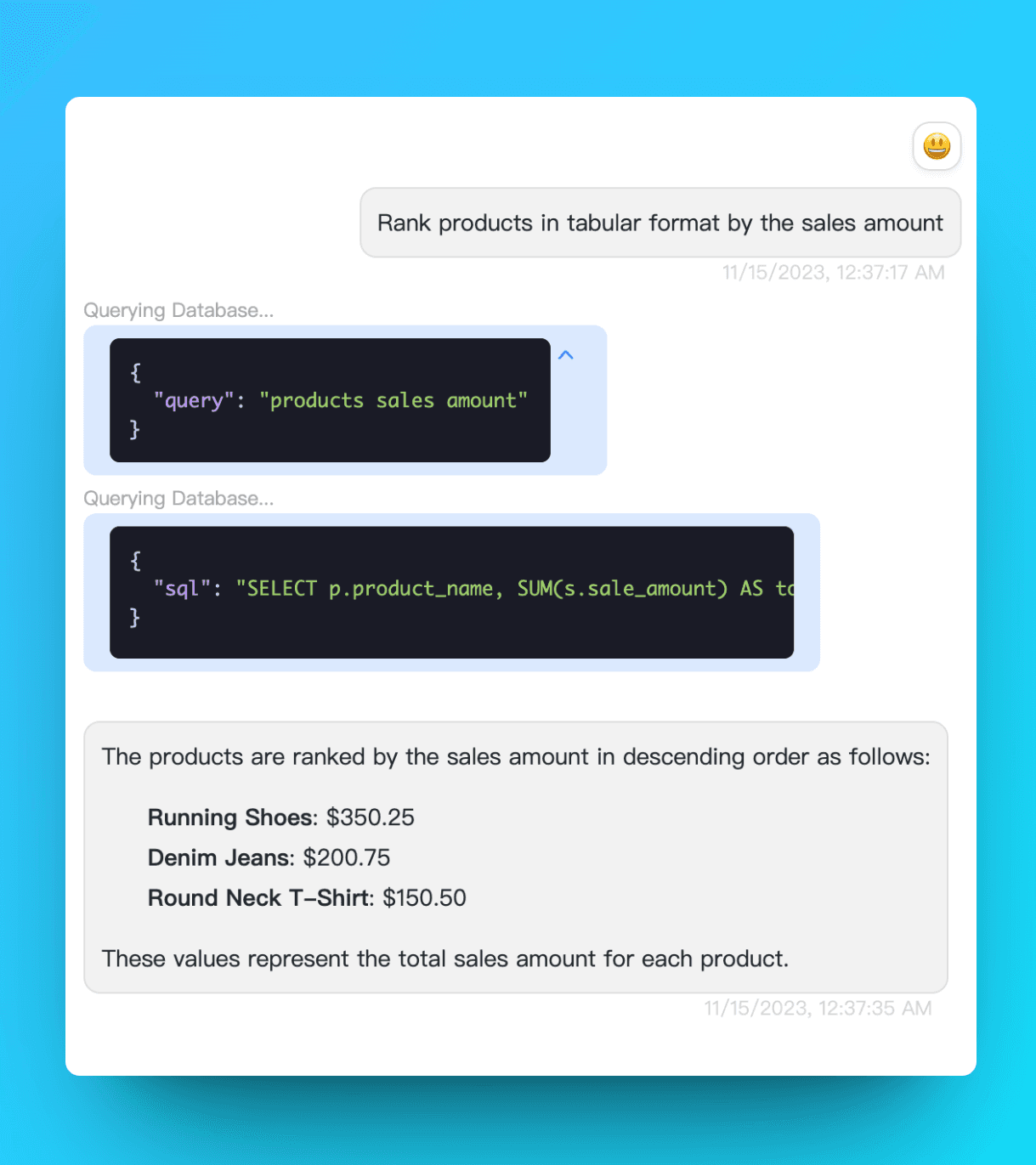
AskYourDatabase turns questions about your database into SQL, answers, and charts. Use Desktop for your own analysis, or embed a Website Chatbot for your users.

Choose how you want to chat with your database

Start with the people who need answers and where they will ask questions. Desktop and Website Chatbot are separate products; private deployment is an enterprise discussion.

Analyze data in Desktop

For analysts, operations teams, and business users working in the Windows or macOS app. Connect from your computer, ask a question, inspect the SQL and results, then ask a follow-up or request a chart.

Your computer needs database access. Local connections do not mean offline AI: questions and necessary response data can reach a model provider through the AI gateway.

Download and setup requirements

Embed a Website Chatbot

For product teams adding database questions to a website or customer portal. Configure a chatbot and connect it to approved data, then integrate the chat interface into your application.

Plan authentication and user-level data access before rollout. Test that each user can retrieve only the records they are allowed to see.

Explore embedded analytics

Plan a private deployment

For organizations with hosting or data-handling requirements. Agree on application hosting, the model endpoint, network access, and operational responsibilities with our enterprise team.

Hosting the application yourself can still involve external model API calls. A locally hosted model is a separate deployment scope.

Discuss enterprise requirements

Review plans and usage allowances or compare AskYourDatabase and BlazeSQL.

From a business question to a checked answer

  1. Connect approved data

    Use a database account limited to the tables or reporting views you need. For analysis, start with read-only permissions. Follow the connection guide for PostgreSQL, MySQL, SQL Server, BigQuery, and other supported engines.

  2. Explain your business terms

    Define revenue, active customers, date ranges, and table relationships. Add verified SQL examples and schema context so a familiar business phrase maps to the intended data.

  3. Check, then explore

    Compare the first answers with a trusted report. Inspect filters, joins, and totals before using them for decisions. Ask follow-up questions or request a visualization once the definition is right.

Questions you can adapt to your schema

These are example prompts, not measured results. Your database must contain the relevant fields, and the metric definitions need to be explicit.

  • “Show paid order revenue by month for this year, excluding cancelled orders. Use USD and our reporting time zone.”
  • “Which customers have invoices overdue as of September 1, 2026? Subtract payments received by that date and keep each currency separate.”
  • “Break that result down by region, then show a bar chart using the same filters.”

Try the reproducible natural language query example, or follow the ERP reporting guide for receivables and reconciliation. For customer-facing applications, use the chatbot implementation guide.

The SQL AI Chatbot that just works

Query, visualize, manage, analyze your data by asking questions with the help of AI Assistant.

Business Intelligence

No more juggling between developers and BI tools. Just ask, and get insights instantly.

business-intelligence
data-visualization.png

Data Visualization

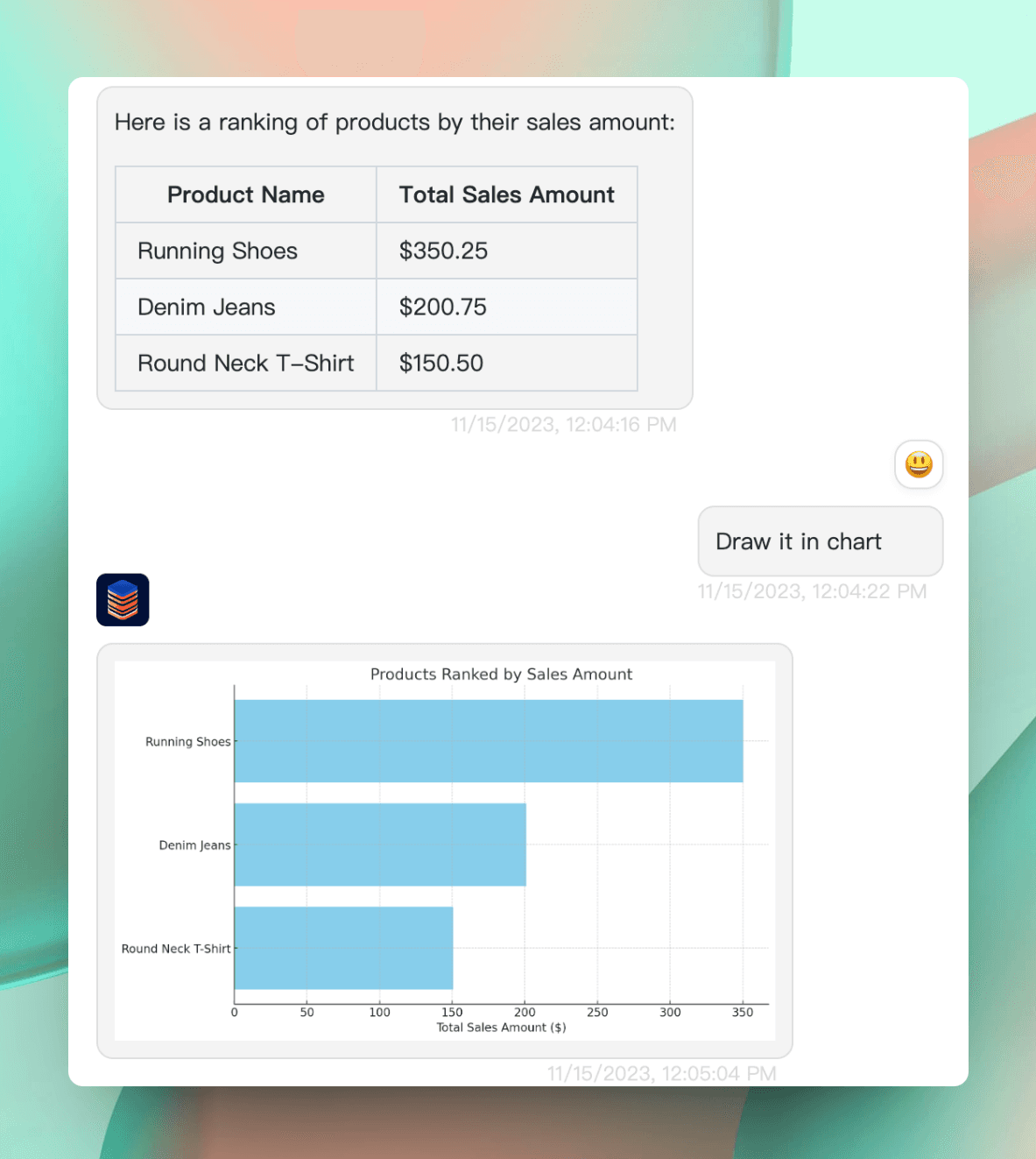
Instantly transform complex data into clear, engaging visuals. No coding needed, just insights at a glance.

Dashboard Builder

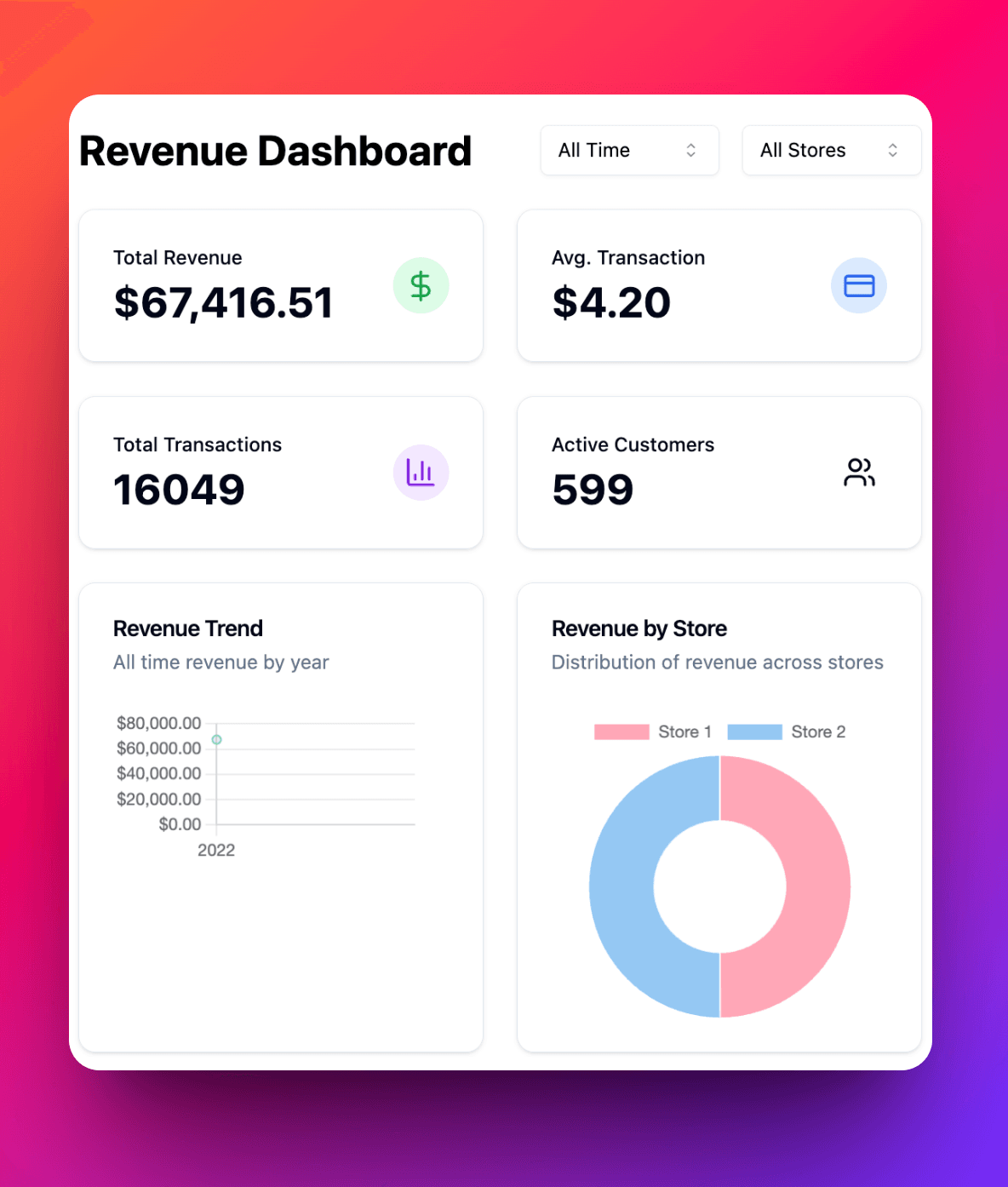
Create real-time, interactive dashboards using natural language. No SQL or complex query language required - just describe what you want to see.

dashboard-builder

Works with your favorite databases

neonClickhousepostgreSQLPostgreSQLmysqlMySQLsql-serverMicrosoft SQL Serversql-serverOraclemongodbMongoDBsnowflakeSnowflakesnowflakeBigQuery

Trusted by 100+ companies worldwide

smartlead.ai

This tool has saved us at least 40 hours of front and back work each week with the CS team and engineering team, but more importantly has taught the CS team a very important skill that's crucial for their growth and success

Avatar

Vaibhav Namburi

Founder of SmartLead.ai

We have some fans.

  • A big shout-out to @AskYourDatabase for their excellent chatGPT plugin. I connected my database, gave it a couple of training prompts to learn my columns and join definitions, and it responds to textual queries without any knowledge of MySql. Amazing! @mreflow @therundownai

    Brad Duncan
    Humanist. Anti-fascist. Pro-environment. Woke tree-hugger.
  • Chat with your SQL database instead of trawling through tables with this AI-powered tool.

    Product Hunt
    The place to discover your next favorite thing 🚀
  • Just a few minutes with @AskYourDatabase and I'm already seeing results that surpass what I've experienced with other SQL AI tools! The efficiency and insight are next-level! #TechTools #AI #DataManagement #RealEstateTech

    Lionel Thomas
    Real Estate Pro, Appraiser, REALTOR, NPO Director
  • There’s been a lot of innovation with ChatGPT’s plugins. One that has caught my eye is http://askyourdatabase.com, created by @NiuSheldon . It helps to create complex SQL or Python scripts. With the plugin, you connect straight to your data – and can chat with it!

    taulli
    Author of the book, Generative AI: How ChatGPT and Other AI Tools Will Revolutionize Business
  • 🚨FORGET ABOUT SQL COURSES! Talk to your SQL database instead of sifting through tables with trial and error of getting commands right. AskYourDatabase is a desktop application that connects to your SQL database. Instead of running queries, you can simply ask the AI chatbot to find data for you. Everything is handled on your desktop to keep your database safe.

    Product Guru
    Authentic content on product management, technology, and business areas. 🧠🎙️
  • Had a friendly chat with @NiuSheldon , who's building an awesome Website Chatbot. Ask Your Database allows you to leverage your data even if you don't know SQL. If you're a manager or a CEO, you must check this out.

    Kevin Piacentini
    Founder of PluginLab
  • @AskYourDatabase is an awesome AI powered software tool, enabling us to gain insights from our data, without complex code & query functions. Asking questions in plain text & receiving answers is a game changer for productivity. Thanks @NiuSheldon for creating this amazing tool!

    hitstream
    Famous VR game
  • Looking for an A.I for SQL. Then look between letter A and E 😉 This is the faster SQL AI I have used. The best so far. @AskYourDatabase

    hitstream
    Database Admin | SQL & Python Expert | Trained 50,000+ People | Youtuber -100k+ Subs

Get started

Choose a product below, or compare current allowances on our pricing page.

Chatbot

Dashboard Builder

Desktop App

Is Your Brand Visible in AI Search?

Discover GeoWatch.ai - track your brand mentions across ChatGPT, Google AI Mode, and other AI search engines. The affordable way to monitor your AI search visibility.

AskYourDatabase questions, answered

What is AskYourDatabase?

AskYourDatabase is an AI database chatbot and SQL assistant. Connect a supported database, ask questions in natural language, and use generated SQL, query results, and charts to explore your data. Desktop serves analysis in the desktop app; Website Chatbot brings database chat into your website.

Read the getting started guide

Do I need ChatGPT or SQL skills to use it?

The Desktop app and Website Chatbot provide their own chat interfaces; these workflows do not require a ChatGPT subscription. You can ask questions without writing SQL, but someone needs to configure database access and verify business definitions. AI-generated queries and answers can be wrong, so check important results against a trusted report.

See a query example and validation steps

Which databases can I connect?

Supported databases include PostgreSQL, MySQL, Microsoft SQL Server, BigQuery, Snowflake, Oracle, MongoDB, and ClickHouse. Connection requirements and query syntax differ by engine. Check the connection guide and test your actual database configuration before choosing a plan.

Check connection requirements

Should I choose Desktop or Website Chatbot?

Choose Desktop for analysis from your Windows or macOS computer. Choose Website Chatbot when users need a chat interface inside your website or product. They have separate plans. For an embedded chatbot, configure authentication and data access, then test isolation between users before launch.

Compare Desktop and Website Chatbot plans

Where do my credentials, questions, and results go?

Desktop connects to your database locally and keeps database credentials on your computer. Questions and necessary response data can be sent through the AI gateway to a model provider. The hosted Website Chatbot stores encrypted database credentials and conversation records. Local query execution is not a promise of offline AI or zero data transfer; review the data flow for your chosen deployment.

Review product data flows

How should I control AI access to a production database?

For reporting, use database-enforced read-only permissions and expose only approved tables or views. Restrict sensitive fields, test user-level access for embedded chat, and set database-side query limits appropriate to your workload. Treat prompt instructions and query checks as additional controls, not a replacement for database permissions.

Plan chatbot access control

Can it understand a large or unfamiliar database schema?

Schema descriptions, business terminology, and verified question-and-SQL examples provide context for unfamiliar tables. Start with a focused reporting area and a set of questions with known answers, then expand after checking joins, filters, and totals. Table count alone does not establish accuracy, and there is no universal accuracy guarantee.

Add training context

Can AskYourDatabase run on-premise?

Enterprise private deployment is available. Self-hosting the application and self-hosting the language model are different scopes: an application inside your network may still call an external model API. Confirm the model endpoint, outbound traffic, storage, infrastructure, and support requirements before selecting a deployment.

Discuss your deployment requirements